

HTTP-triggered flows are a convenient way to expose Power Automate flows as APIs. However, if left unsecured, anyone with the trigger URL can invoke the flow. In this article, we will learn how to secure an HTTP-triggered flow using Microsoft Entra ID authentication.
Create an HTTP-triggered Flow
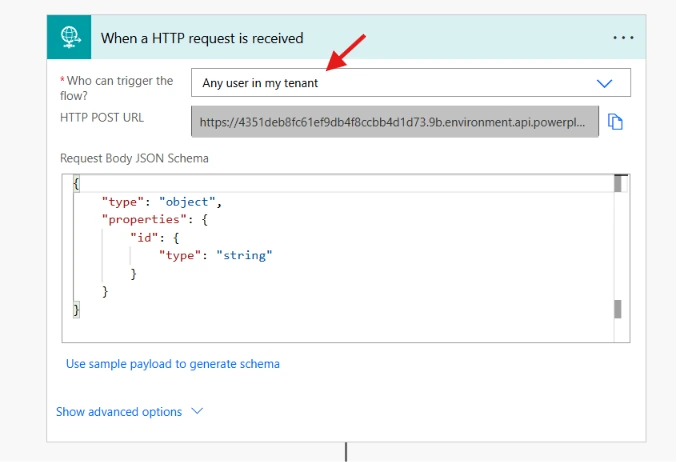
Create a new cloud flow with the HTTP trigger.
While configuring the trigger, set Who can trigger the flow to Any user in my tenant. This ensures that only authenticated users within your Microsoft Entra tenant can invoke the flow.
Register an Application in Microsoft Entra ID
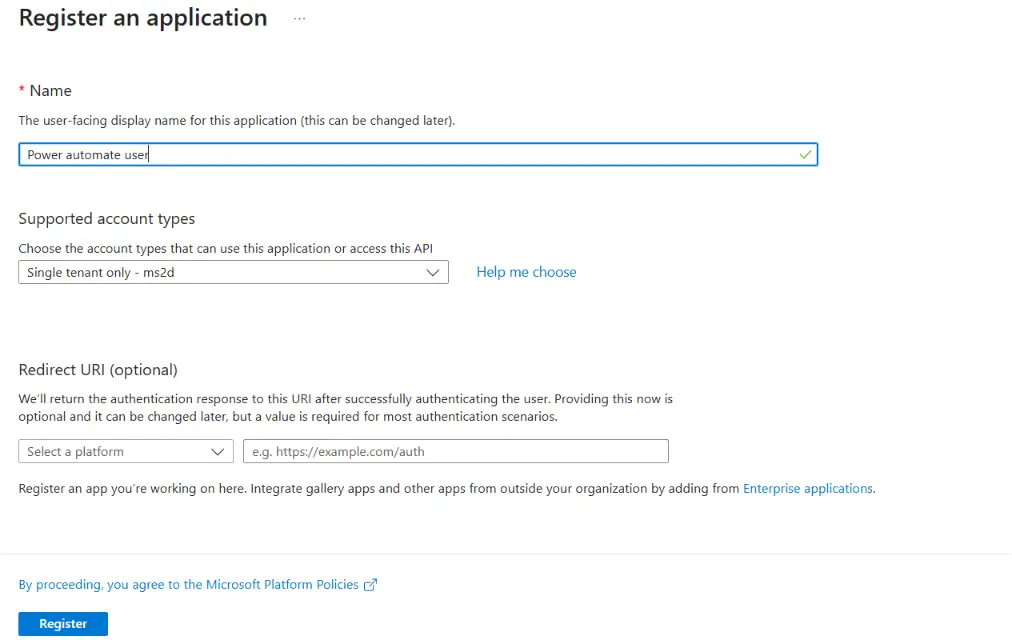
Open the Azure portal and create a new App registration under Microsoft Entra ID > App registrations.
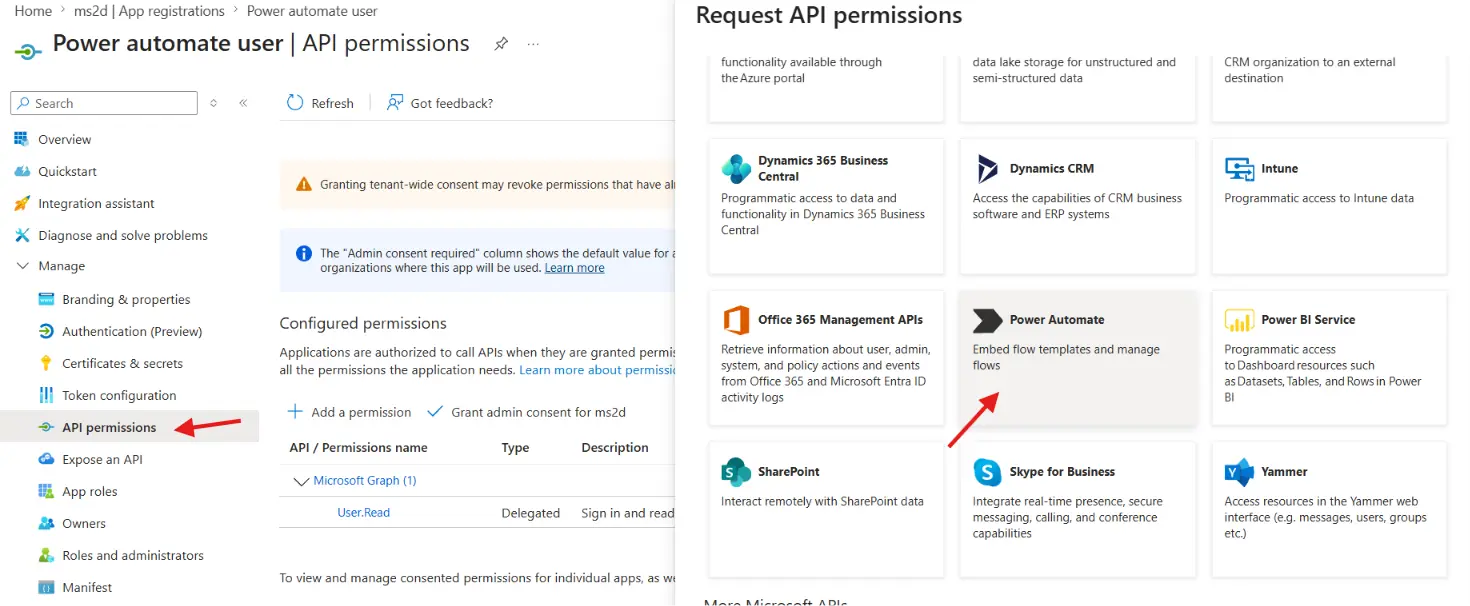
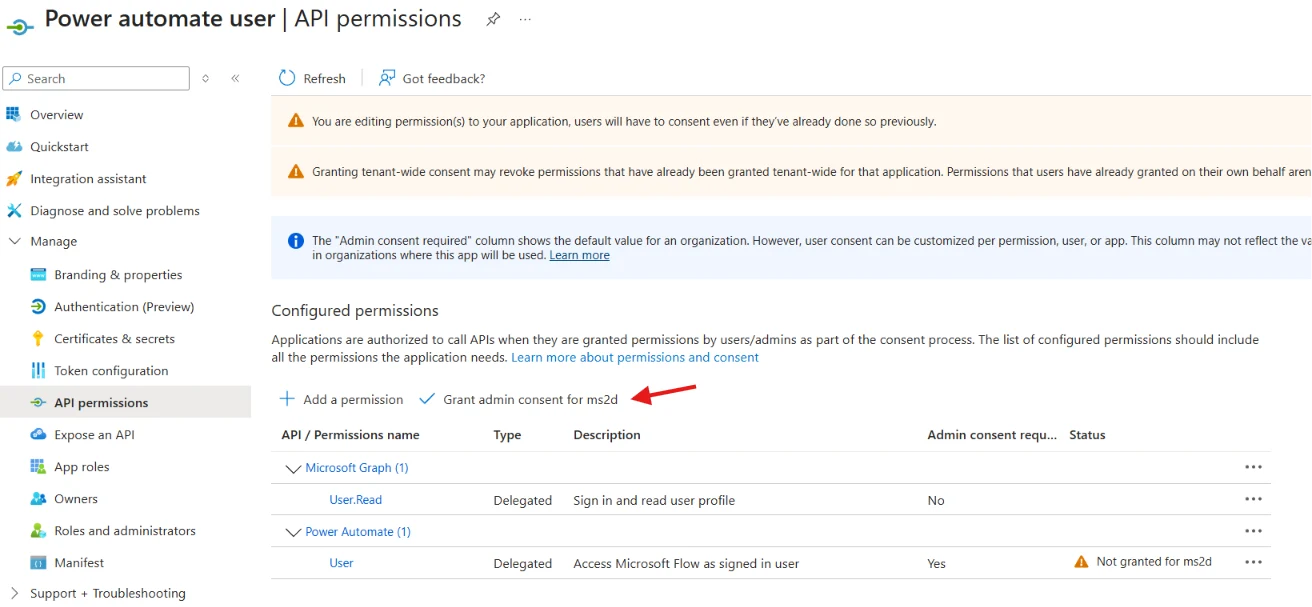
Once created, navigate to API Permissions and add a permission for Power Automate.
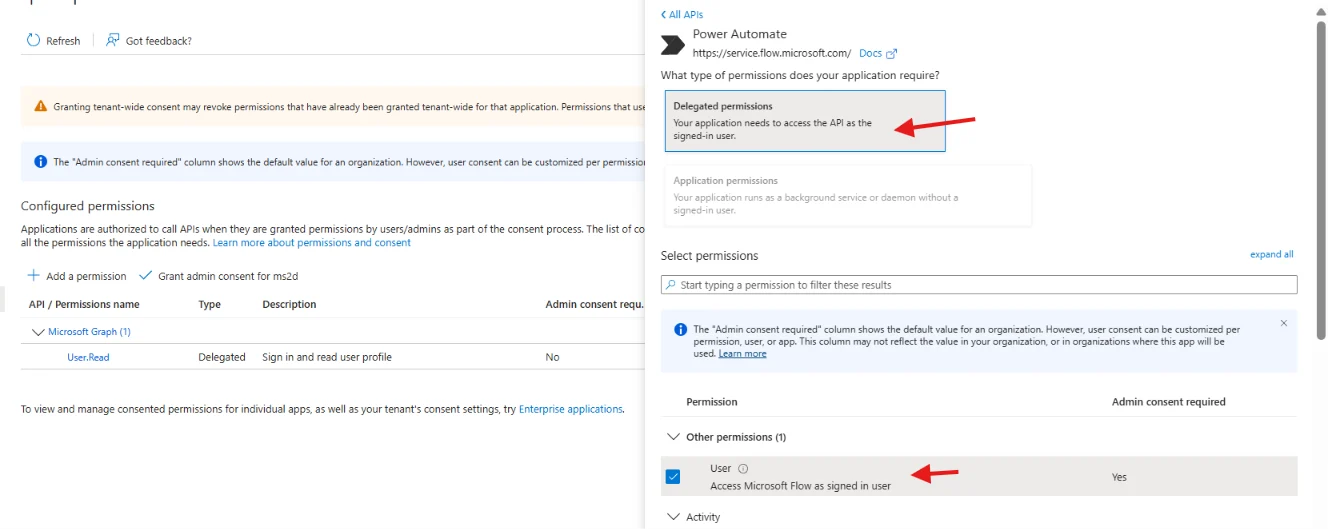
Select Delegated permissions as the type and select User as the permission.
Grant the Admin consent to the permission.
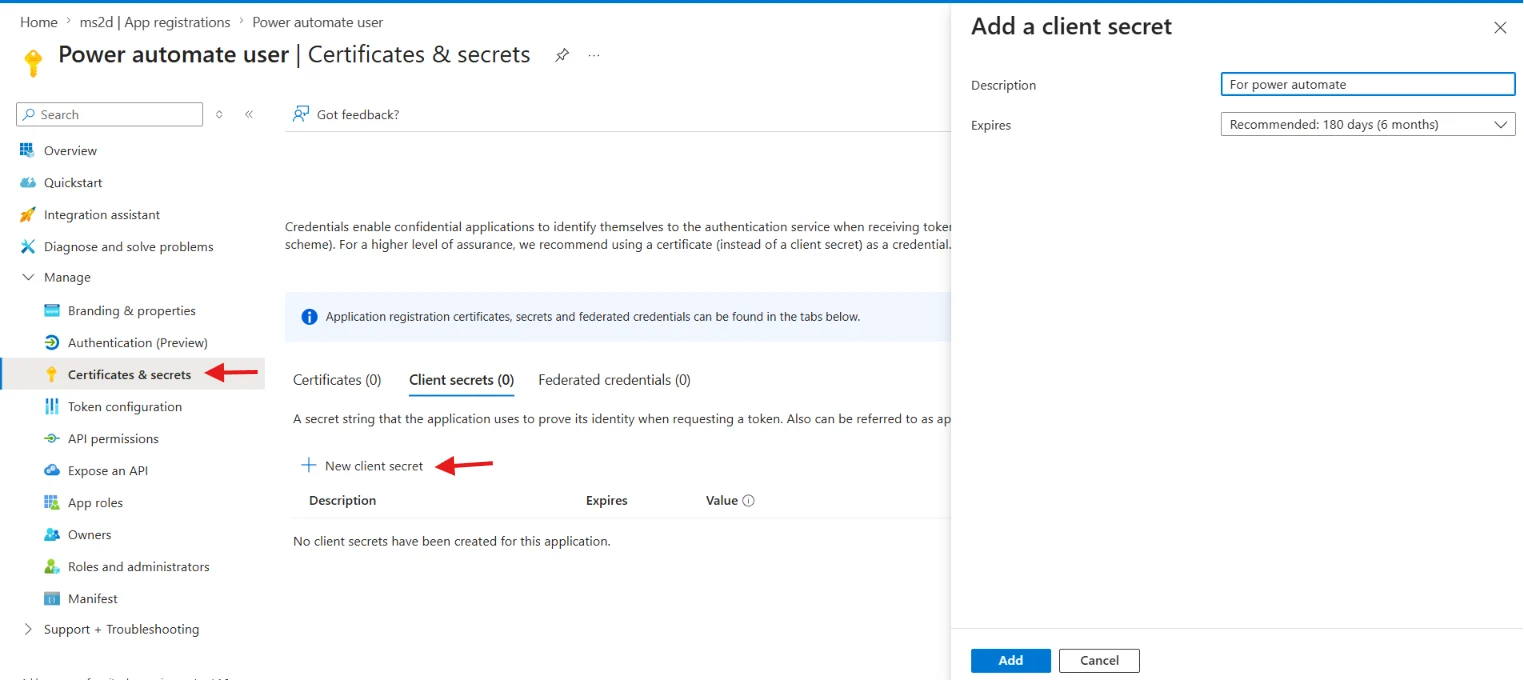
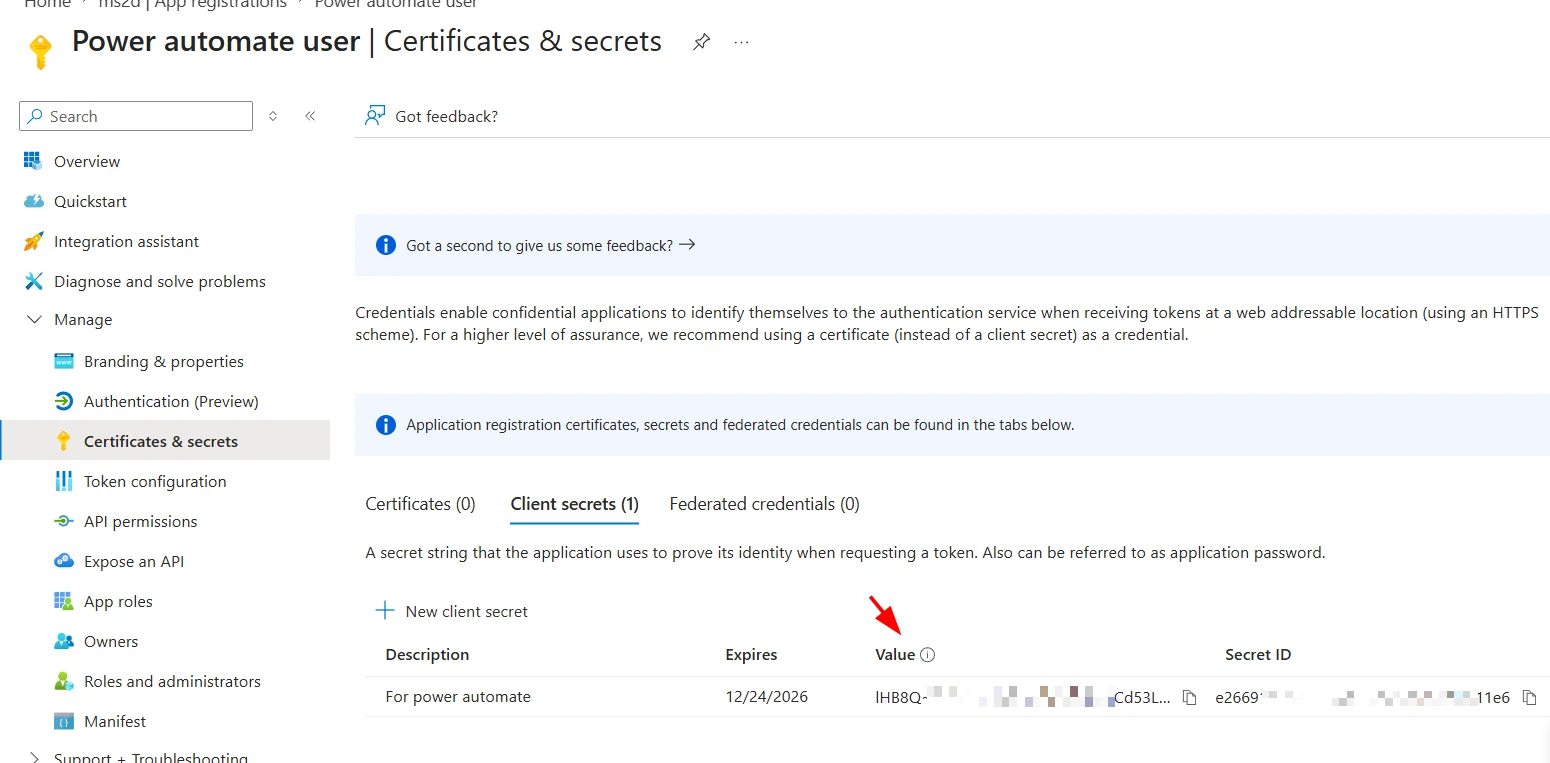
Next, navigate to Certificates & secrets and create a new client secret. Copy and save the secret value, as it will be required to obtain an access token.
Obtain an Access Token
To authenticate with Power Automate, request an access token from Microsoft Entra ID by sending a POST request to the following URL
https://login.microsoftonline.com/<your-tenant-id>/oauth2/v2.0/tokenSend the request body as application/x-www-form-urlencoded with the following parameters –
- grant_type – client_credentials
- client_id – Application (Client) ID of the app registration
- client_secret – Client secret created in the previous step
- scope – https://service.flow.microsoft.com//.default
A sample request in Postman is shown below.
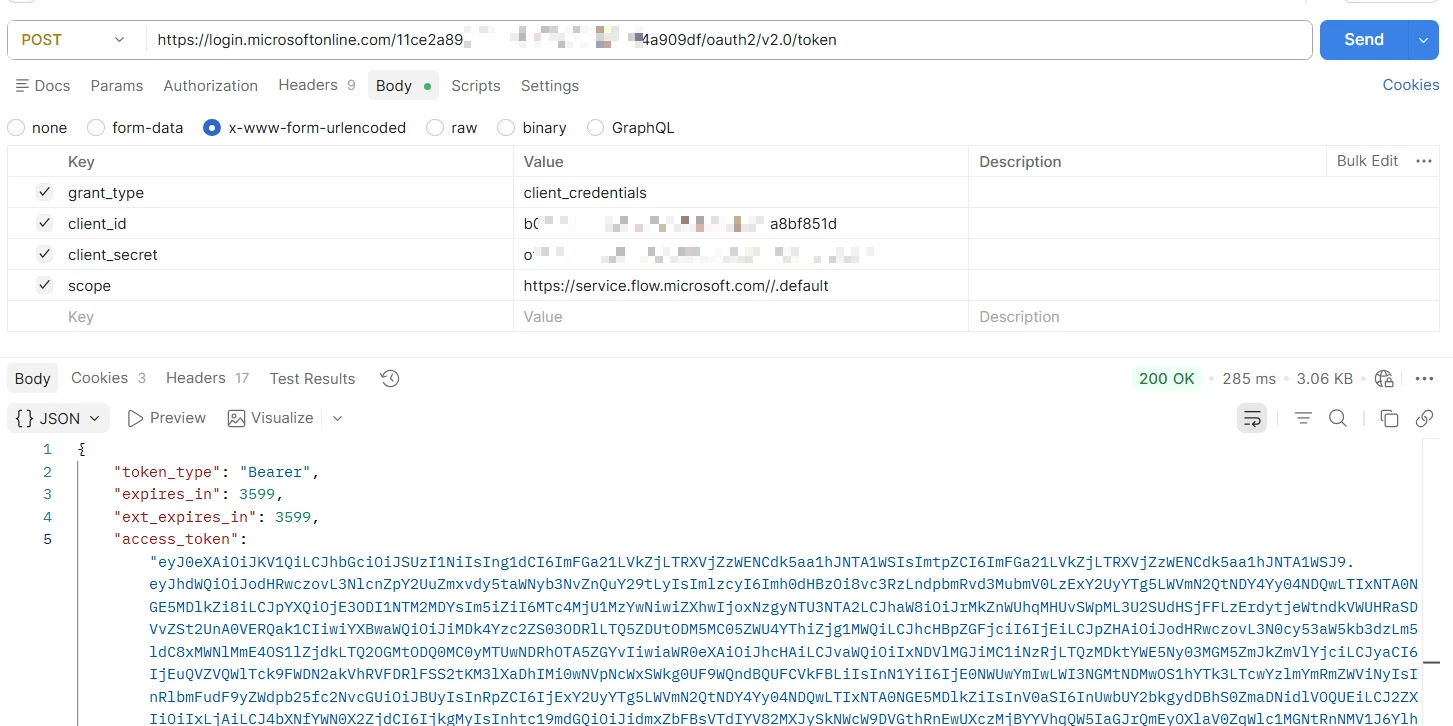
If the request is successful, the response will contain an access_token.
Invoke the HTTP-triggered Flow
Include the access token in the Authorization header when calling the HTTP endpoint:
Authorization: Bearer <access_token>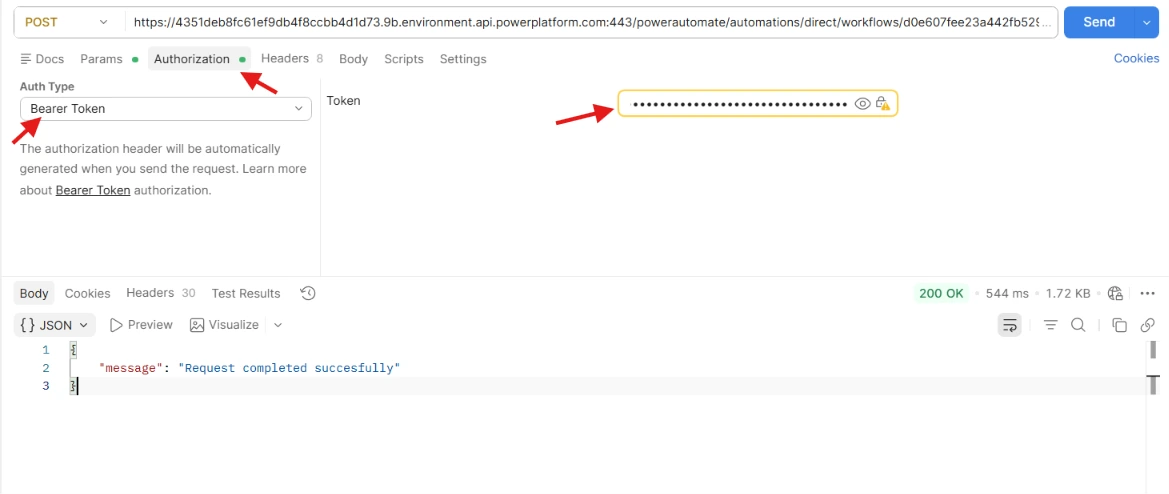
Power Automate validates the token before executing the flow. Requests without a valid token, or with an invalid or expired token, are rejected.
Allowing access to only specific users
For an additional layer of security, you can restrict the HTTP-triggered flow so that only specific users or applications in your Microsoft Entra tenant are allowed to invoke it.
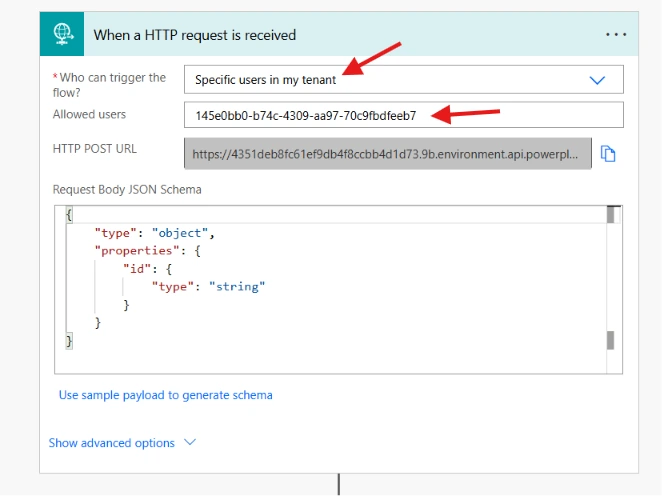
In the trigger, just change the Who can trigger option Specific users in my tenant and provide the Object ID of the user or application that should be allowed to access the flow in the Allowed users field.
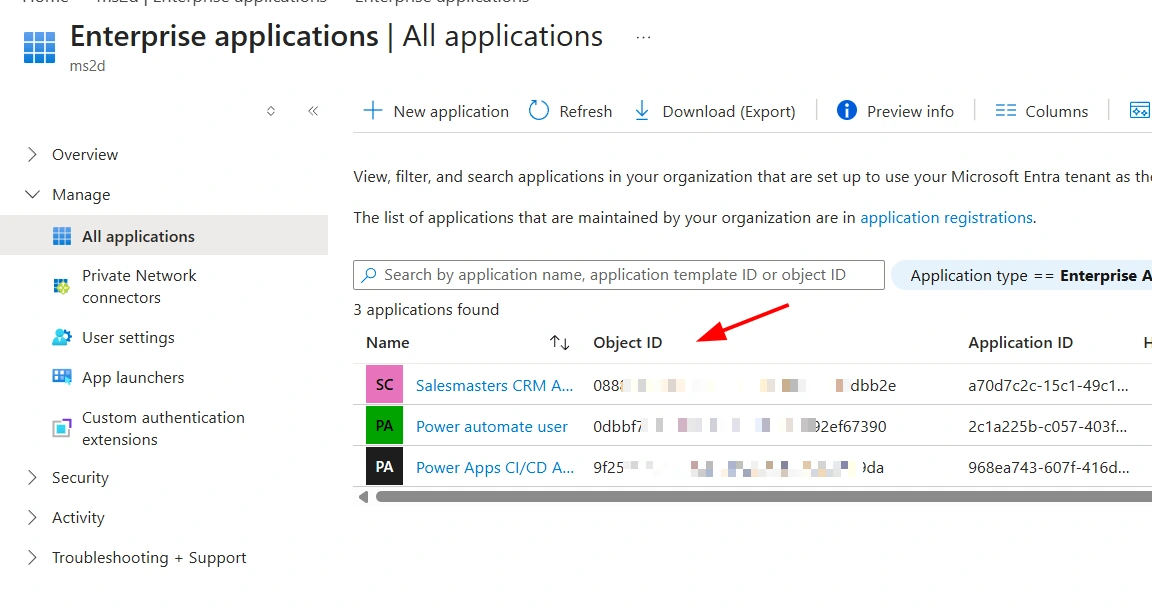
To find the Object ID of an application, navigate to Microsoft Entra ID > Enterprise applications.
By configuring your HTTP-triggered flow to accept requests only from authenticated users in your Microsoft Entra tenant and using OAuth 2.0 access tokens, you can significantly improve the security of your Power Automate APIs while avoiding the risks associated with publicly accessible HTTP endpoints.