
Sometimes your logic inside a Power Automate flow can take a long time to run. For example, you might be processing a large amount of data, calling multiple APIs, or performing some heavy operations.
When using an HTTP-triggered flow in Power Automate, there is a timeout limit of 2 minutes (120 seconds). If your flow does not send a response within this time, the HTTP request will time out. However, this does not mean your flow has stopped — it will continue running in the background.
To handle such scenarios, you can enable Asynchronous Response on your HTTP Response action.
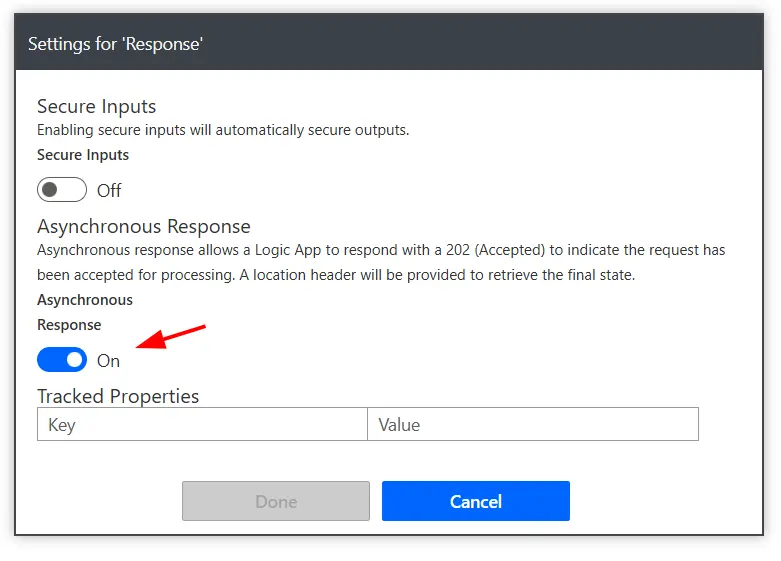
Once enabled, instead of waiting for the flow to finish, Power Automate immediately returns a 202 Accepted response along with a Location header. This Location header contains a URL that you can use to check (poll) the status of your flow run.
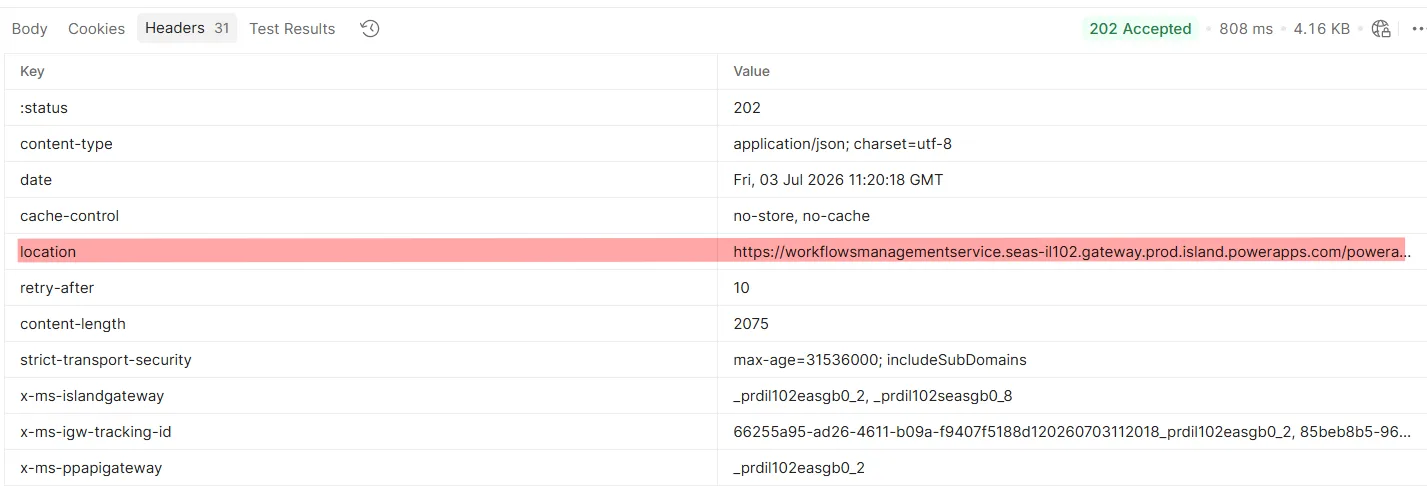
You can keep polling this URL to check whether the flow has completed or is still running. It will return a 202 Accepted status until the flow completes execution.
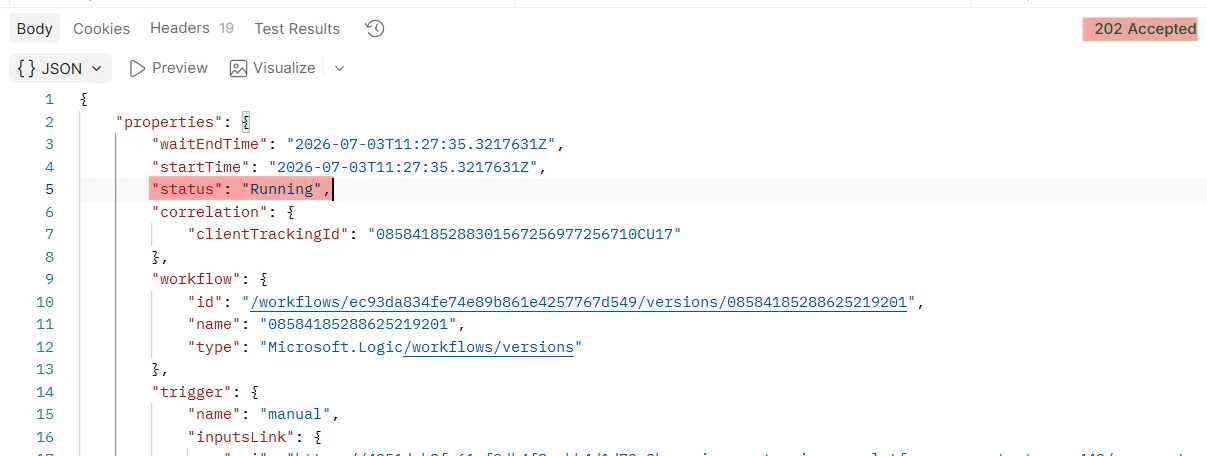
Once the flow execution is finished, calling the Location URL will return the actual response configured in your HTTP Response action.
This approach helps you avoid HTTP timeout issues while still allowing the caller to get the final result once the long-running process is complete.
Learn more about the feature in Microsoft’s official documentation.