Some business scenarios require users to confirm their actions before saving a record in Dataverse. This extra step helps prevent accidental changes and ensures users have a chance to review their updates before they are saved. You can achieve this using client-side JavaScript to display a confirmation dialog when the Save event is triggered, allowing users to proceed with or cancel the save operation.
Create a JavaScript web resource with the following code and register its function on the form’s OnSave event.
// Prevents the confirmation dialog from appearing again during the resave
var _validationCompleted = false;

async function onSave(executionContext) {

    var eventArgs = executionContext.getEventArgs();
    let formContext = executionContext.getFormContext();

    // Allow the confirmed save to proceed without showing the dialog again
    if (_validationCompleted) {
        _validationCompleted = false;
        return;
    }

    // Cancel the original save while waiting for the user's confirmation
    eventArgs.preventDefault();

    try {
        var confirmStrings = {
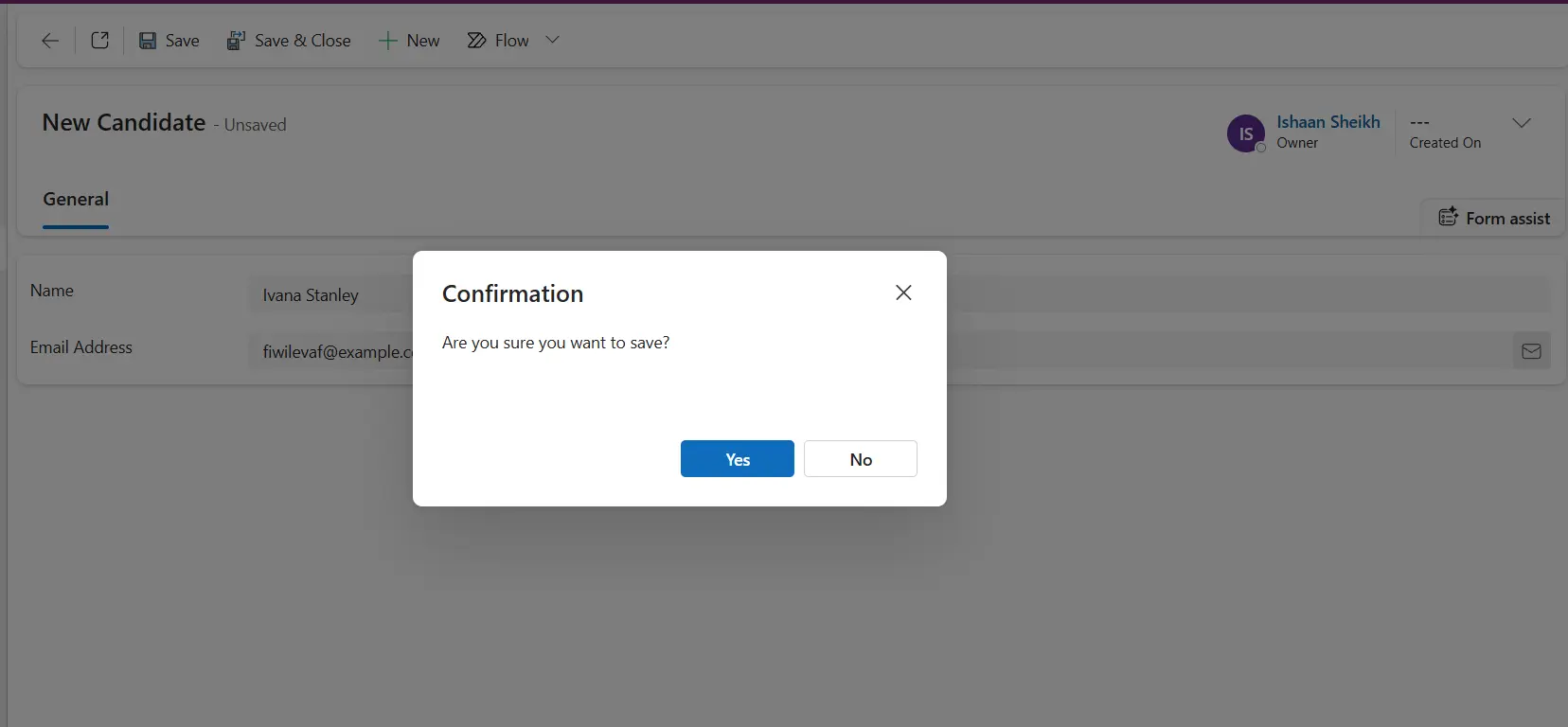
            text: `Are you sure you want to save?`,
            title: 'Confirmation',
            cancelButtonLabel: 'No',
            confirmButtonLabel: 'Yes'
        };
        var confirmOptions = { height: 200, width: 450 };

        // Display the confirmation dialog and wait for the user's response
        var result = await Xrm.Navigation.openConfirmDialog(confirmStrings, confirmOptions);

        if (result.confirmed) {
            // Set the flag before initiating a new save so the OnSave
            // handler can identify and allow the confirmed save
            _validationCompleted = true;

            try {
                // Initiate a new save after the user confirms
                await formContext.data.save();
            } catch (saveError) {
                console.error("Error saving record: " + saveError.message);
            } finally {
                // Reset the flag even if the save fails
                _validationCompleted = false;
            }
        }
        else {
            _validationCompleted = false;
        }

    }
    catch(e) {
        console.error('Error occured');
        _validationCompleted = false;
    }
}In the above script, the _validationCompleted flag ensures the script lets the second save execution pass through without triggering the dialog a second time.
The confirmation dialog will look like below-